How to File Your Form 990-N with Claude or ChatGPT
Reviewed · First published · 5 min read

If your nonprofit's gross receipts are normally $50,000 or less, its annual IRS filing is the Form 990-N, the e-Postcard. 990.tax files it electronically with the IRS, and now you can also prepare it from the AI assistant you already use. Claude, ChatGPT and other assistants connect to 990.tax through the Model Context Protocol (MCP).
Two things don't change. You review and confirm every answer on 990.tax, and you pay there. The assistant cannot file, pay or sign anything for you.
There are two connections:
| Address | Sign-in | What it does | |
|---|---|---|---|
| Nonprofit lookup (free) | https://990.tax/mcp | none | Exempt status, revocations, missing years, which form, due dates, Form 990 financials, statistics |
| Form 990-N filing | https://app.990.tax/mcp | your 990.tax account | Starts and checks your 990-N, then hands you the link to review and pay on 990.tax |
Part 1: Look up any nonprofit, free
In Claude
Open Customize → Connectors, click Add → Add custom connector, name it 990.tax, enter https://990.tax/mcp and click Continue.
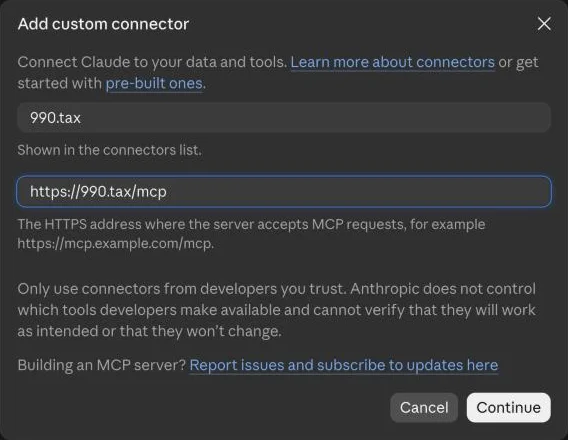
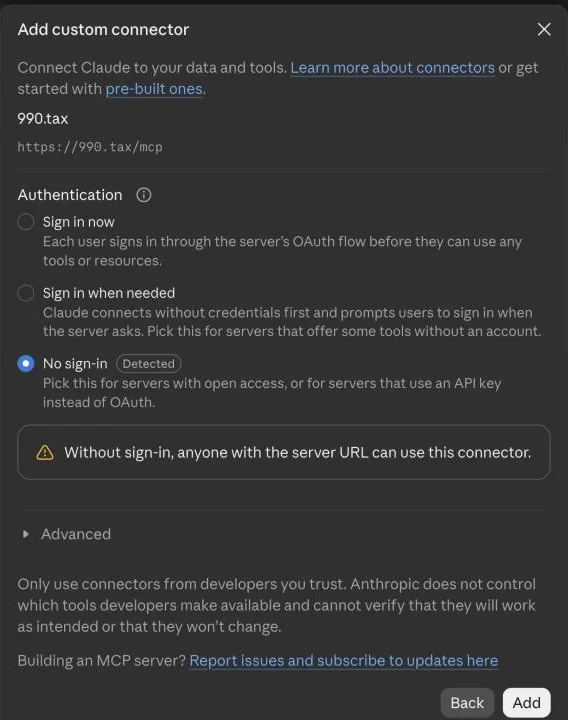
Claude detects that this connector needs no sign-in. Click Add, then Connect.
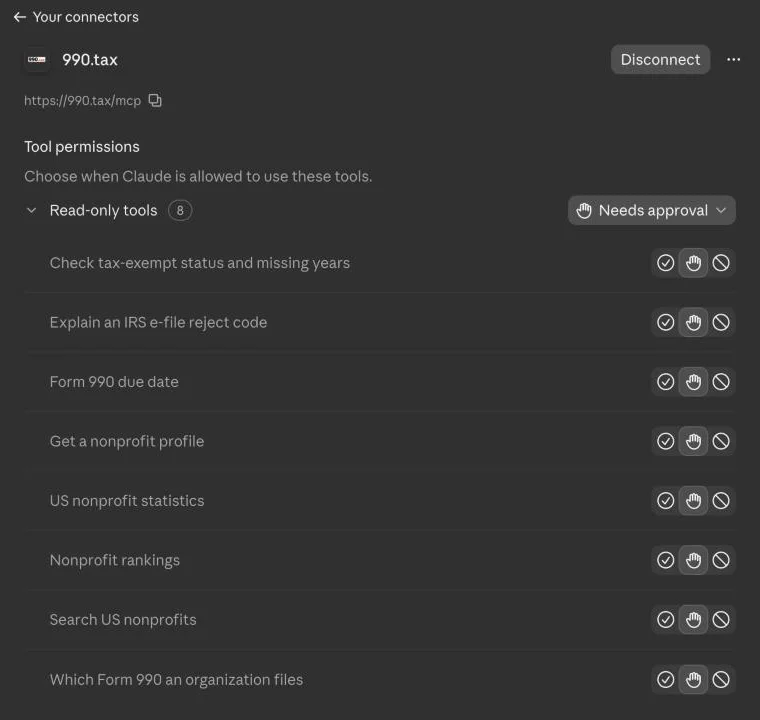
The eight lookup tools appear. They are all read-only.
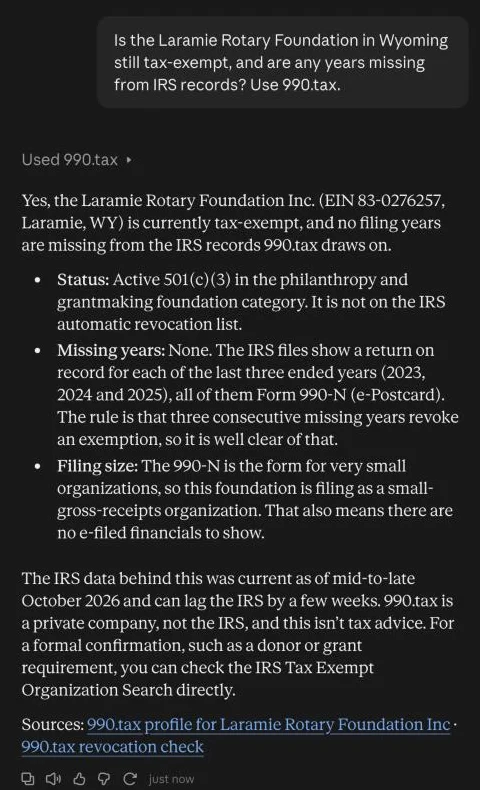
Now ask in plain words. Claude answers from IRS records and links the 990.tax pages it used:
Statistics and rankings work the same way:
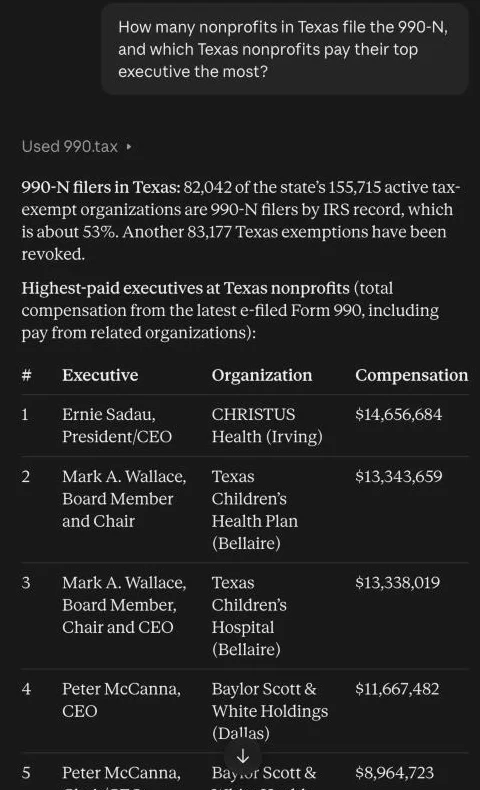
In ChatGPT
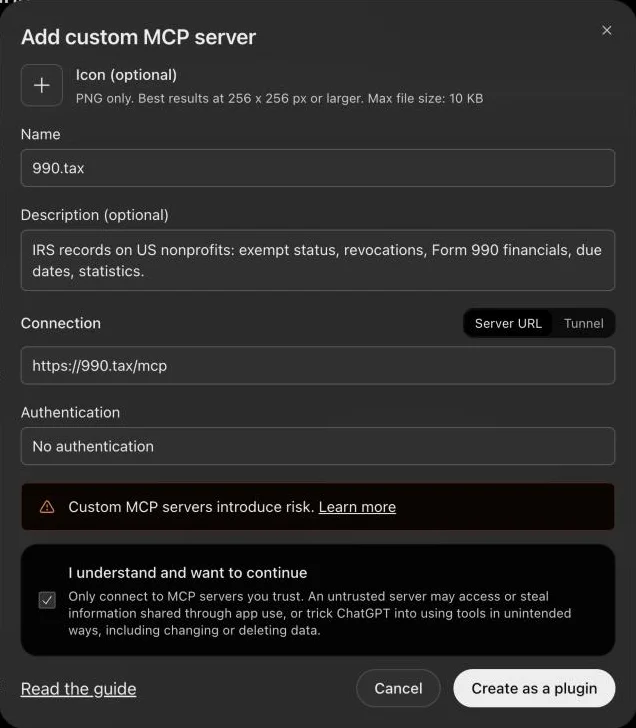
Open Plugins, click Add → Add custom MCP server, name it 990.tax, enter https://990.tax/mcp, choose No authentication, tick I understand and want to continue, and click Create as a plugin. Then type @990.tax in a chat to use it.
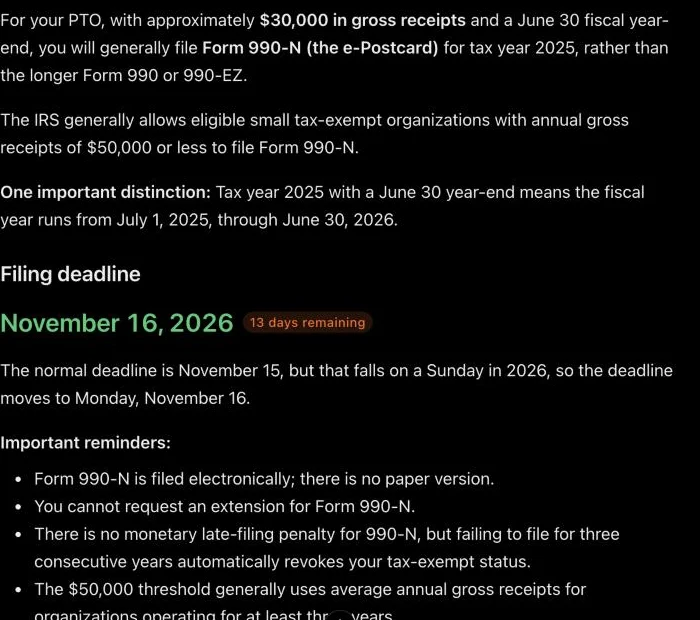
ChatGPT then answers from the same IRS records:
More questions to try:
- Is our Little League still tax-exempt, and are any years missing from IRS records?
- Our PTO had about $30,000 in receipts with a June 30 year end. Which 990 do we file for tax year 2025 and when is it due?
- What does IRS reject code R0000-922-01 mean and how do we fix it?
Part 2: File your 990-N from Claude
Step 1: Connect your 990.tax account
Add a second custom connector named 990.tax filing with the address https://app.990.tax/mcp. Claude detects that it signs in with your 990.tax account, and there's nothing else to set up.
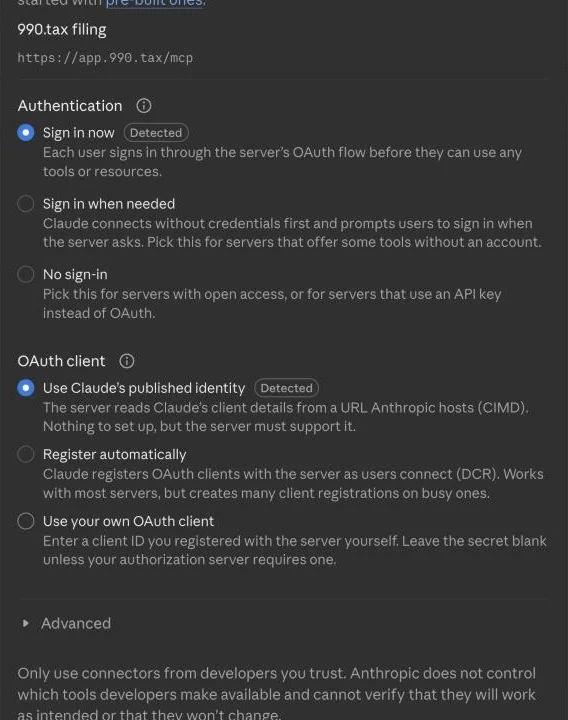
Click Connect. 990.tax opens. Sign in, or create a free account, and read what you are allowing. Claude can see your returns and start 990-N drafts. It cannot file, pay, sign or delete anything, and it never sees your password.
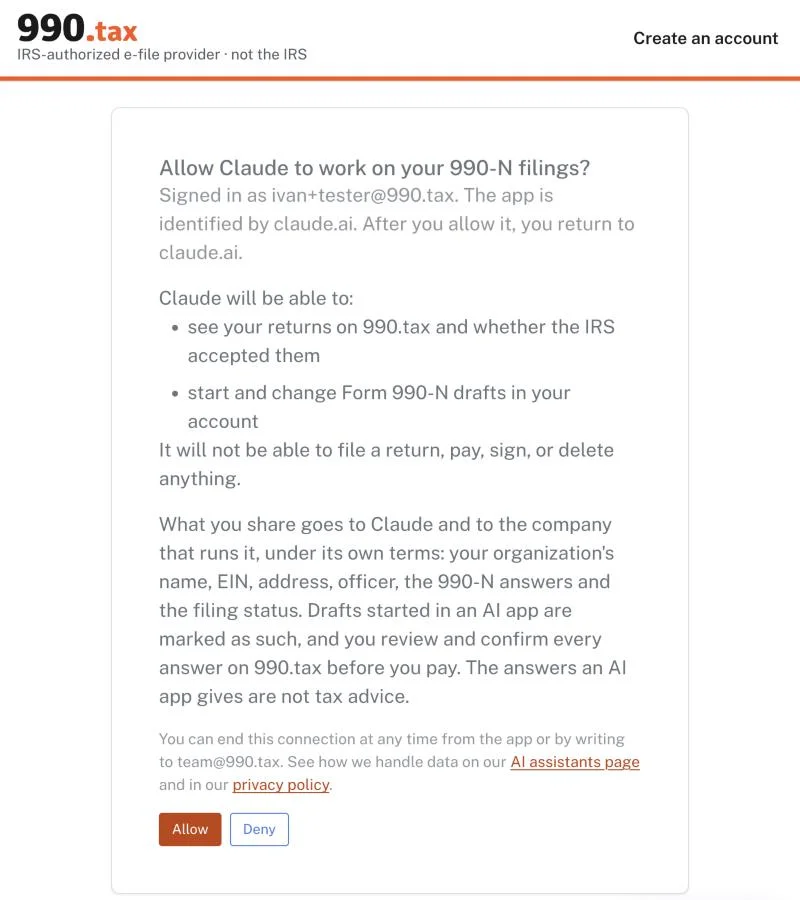
Click Allow. The filing tools appear in Claude.
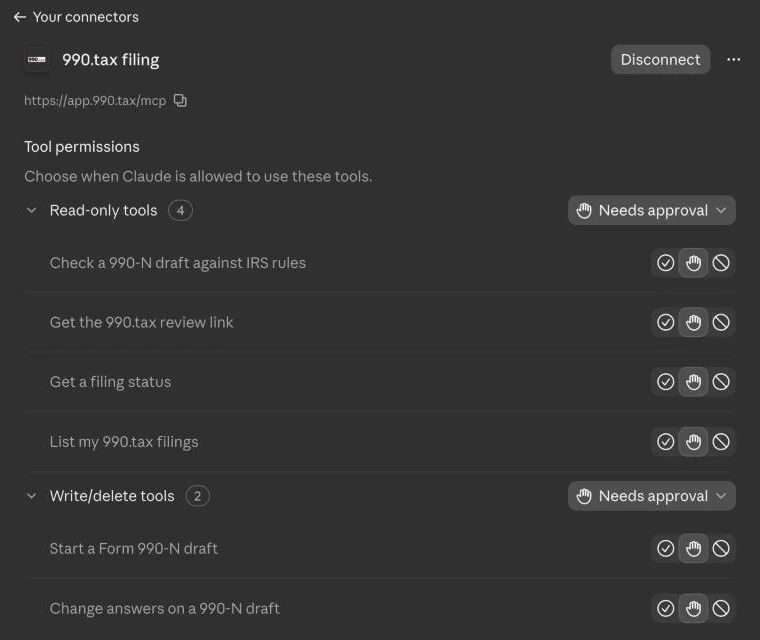
Step 2: Ask Claude to start your 990-N
Start our Form 990-N for tax year 2024 on 990.tax. Our EIN is 12-3456789.
Before it changes anything in your account, Claude asks you. Click Allow once.
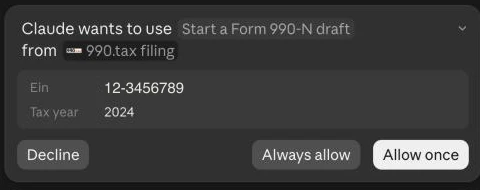
Claude starts a draft prefilled from IRS records: your legal name, tax year dates, and the address and principal officer the IRS has on file. Then it asks for what's missing, usually whether the organization is still operating and whether gross receipts are normally $50,000 or less. Some cases are caught right away. If the IRS has revoked your exemption, already has a 990-N for that year, or doesn't list your EIN, Claude tells you before you go any further.
Step 3: Answer, and let it check
We're still operating, and our gross receipts are normally under $50,000.
Claude saves your answers and runs the same checks 990.tax runs before every payment: the IRS e-file rules and the IRS record. Nothing is sent to the IRS. When it passes, you get the link.
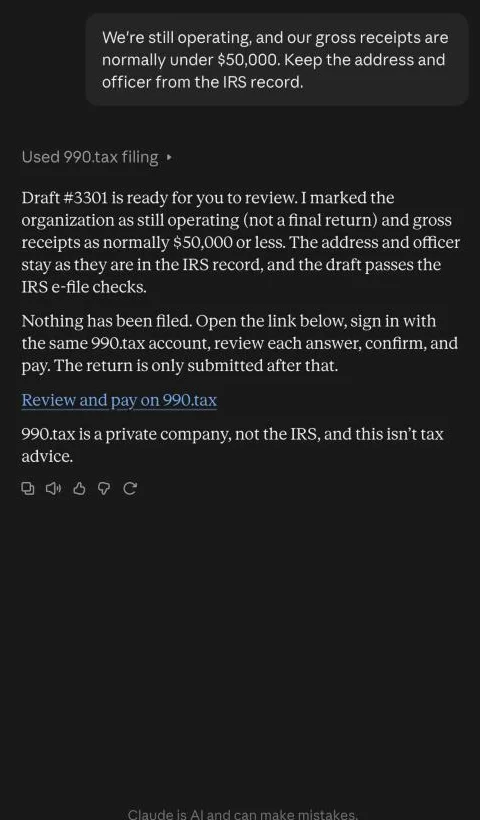
Step 4: Review, confirm and pay on 990.tax
The link opens your return on 990.tax, signed in to the same account. Every answer is shown with a Change link. Because the draft was started in an AI app, 990.tax asks you to confirm that you reviewed it.
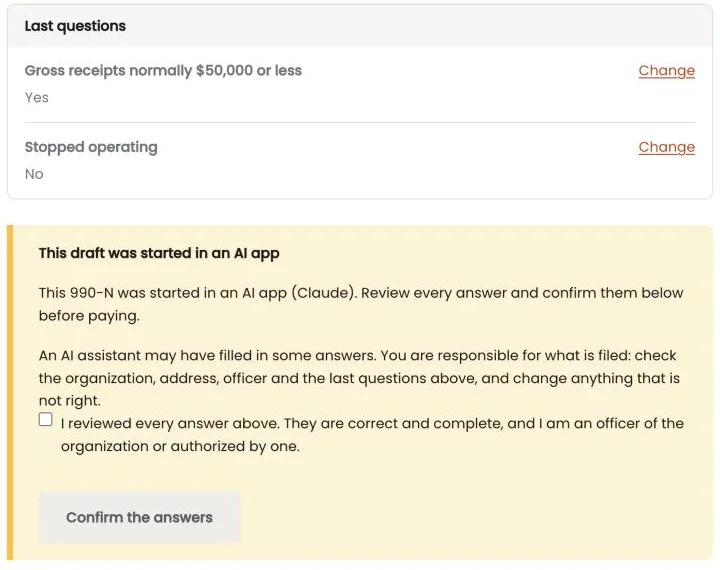
Tick the box and click Confirm the answers, and Continue to payment appears.
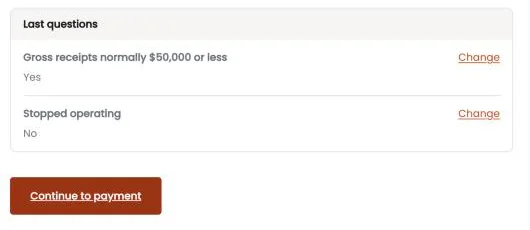
You pay the usual 990.tax price. A 990-N needs no signature. 990.tax files it with the IRS right after payment and emails you when the IRS accepts it.
Step 5: Ask whether the IRS accepted it
Did the IRS accept our 990-N?
Claude reads your return's status: paid, sent to the IRS, accepted or rejected.
ChatGPT and other assistants
The filing connection works in any assistant that supports custom MCP servers with sign-in. In ChatGPT, add https://app.990.tax/mcp under Plugins → Add → Add custom MCP server with OAuth authentication. It also works in Cursor, VS Code and Grok (Connectors → New Connector → Custom). Setup details for each are on 990.tax/mcp.
Good to know
- Tax years: 990.tax files 990-Ns for tax years 2023 and 2024 today.
- California: organizations in California also file Form 199 with the state. After you confirm your answers, the full 990.tax editor handles that part.
- Privacy: when you allow an assistant, the details it reads or changes go to the company that runs it: your organization's name, EIN, address, officer, the 990-N answers and the filing status. You can end the connection at any time by removing the connector. Details are on 990.tax/mcp.
- Not tax advice: 990.tax is a private company and an IRS-authorized e-file provider, not the IRS. The assistant's answers are information from IRS records and rules.
Prefer not to use an assistant? File your 990-N on 990.tax directly. It takes about five minutes.